
iOS

Android

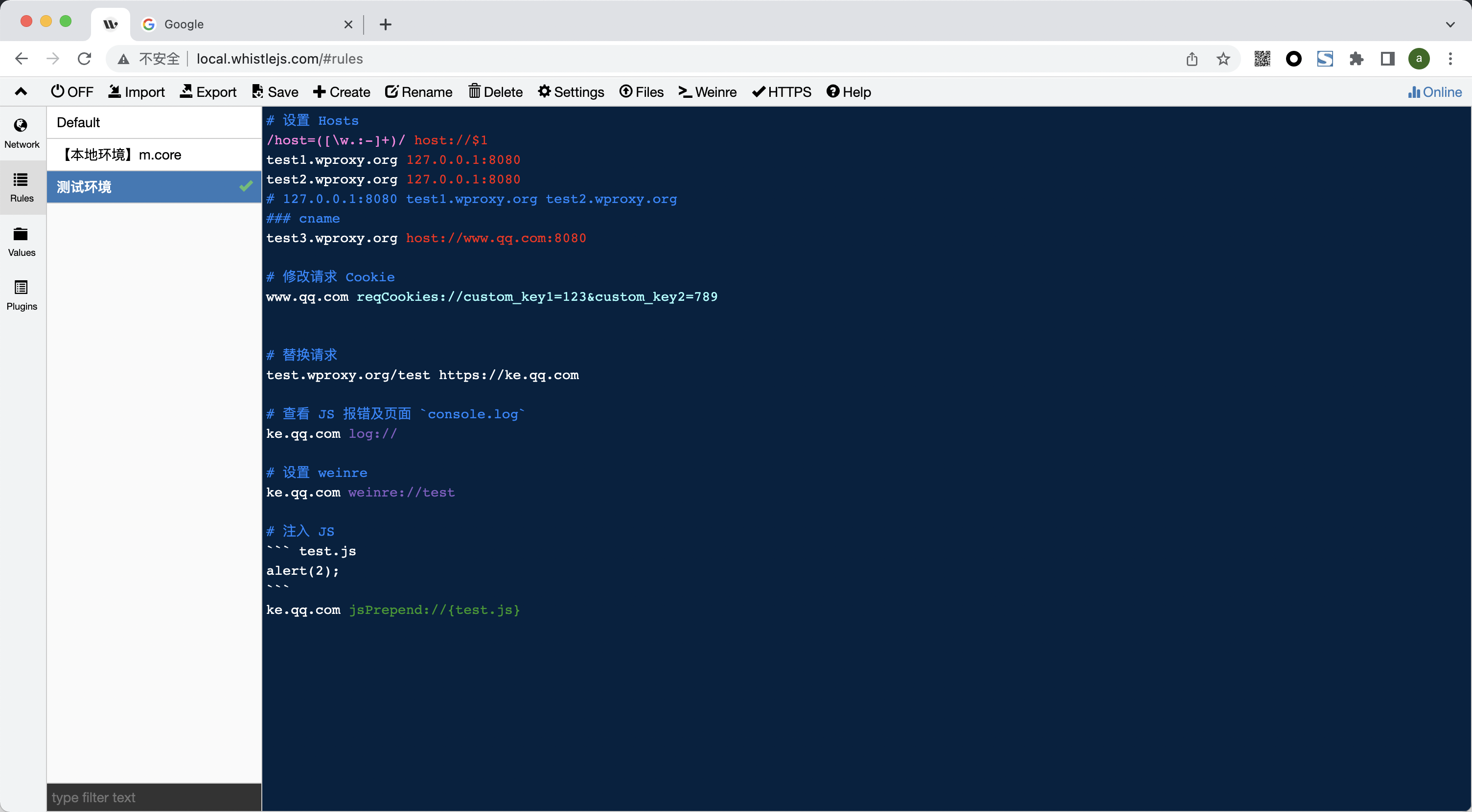 **切到 Rules 并点击 `Create` 新建一个 测试环境 接下来看下如何通过设置规则操作请求。**
## 设置 Hosts
1. 普通的 Hosts 配置:
``` txt
test1.wproxy.org 127.0.0.1
test2.wproxy.org 127.0.0.1
# 或
127.0.0.1 test1.wproxy.org test2.wproxy.org
```
2. 也支持带端口,匹配路径、协议、正则、通配符等:
``` txt
test1.wproxy.org/path/to 127.0.0.1:6001
https://test2.wproxy.org/path1/to1 127.0.0.1:6001
# 根据请求参数设置 host
/google/ 127.0.0.1:6001
# 或
127.0.0.1:6001 test1.wproxy.org/path/to https://test2.wproxy.org/path1/to1 /google/
```
3. 支持 cname:
``` txt
test1.wproxy.org/path/to host://www.qq.com:8080
```
4. 支持通过请求参数设置 Hosts:
``` txt
/host=([\w.:-]+)/ host://$1
```
**切到 Rules 并点击 `Create` 新建一个 测试环境 接下来看下如何通过设置规则操作请求。**
## 设置 Hosts
1. 普通的 Hosts 配置:
``` txt
test1.wproxy.org 127.0.0.1
test2.wproxy.org 127.0.0.1
# 或
127.0.0.1 test1.wproxy.org test2.wproxy.org
```
2. 也支持带端口,匹配路径、协议、正则、通配符等:
``` txt
test1.wproxy.org/path/to 127.0.0.1:6001
https://test2.wproxy.org/path1/to1 127.0.0.1:6001
# 根据请求参数设置 host
/google/ 127.0.0.1:6001
# 或
127.0.0.1:6001 test1.wproxy.org/path/to https://test2.wproxy.org/path1/to1 /google/
```
3. 支持 cname:
``` txt
test1.wproxy.org/path/to host://www.qq.com:8080
```
4. 支持通过请求参数设置 Hosts:
``` txt
/host=([\w.:-]+)/ host://$1
```


 ## 修改请求 Cookie
``` txt
www.qq.com reqCookies://custom_key1=123&custom_key2=789
```
## 修改请求 Cookie
``` txt
www.qq.com reqCookies://custom_key1=123&custom_key2=789
```
 ## 请求替换
1. 替换本地内容
``` txt
test.wproxy.org/test file:///Users/xx/statics
```
> `test.wproxy.org/test` 及其子路径 `test.wproxy.org/test/path/to` 请求 会尝试读取本地文件 `/Users/xx/statics/path/to`
2. 替换其它请求
``` txt
test.wproxy.org/test https://ke.qq.com
```
> `test.wproxy.org/test` 及其子路径 `test.wproxy.org/test/xxx` 请求会用 ` https://ke.qq.com/xxx` 响应头和内容替换
## 请求替换
1. 替换本地内容
``` txt
test.wproxy.org/test file:///Users/xx/statics
```
> `test.wproxy.org/test` 及其子路径 `test.wproxy.org/test/path/to` 请求 会尝试读取本地文件 `/Users/xx/statics/path/to`
2. 替换其它请求
``` txt
test.wproxy.org/test https://ke.qq.com
```
> `test.wproxy.org/test` 及其子路径 `test.wproxy.org/test/xxx` 请求会用 ` https://ke.qq.com/xxx` 响应头和内容替换

 ## 查看 JS 报错及页面 `console.log`
``` txt
ke.qq.com log://
```
## 查看 JS 报错及页面 `console.log`
``` txt
ke.qq.com log://
```
 ## 修改响应状态码
``` txt
# 模拟响应 500(请求不会到后台服务)
test3.wproxy.org/path/to statusCode://500
# 修改响应状态码(请求会到后台服务)
test4.wproxy.org/path/to replaceStatus://400
# 302 重定向
test5.wproxy.org/path redirect://https://ke.qq.com/
# 301 重定向
test6.wproxy.org/path redirect://https://ke.qq.com/ replaceStatus://301
```
## 修改响应状态码
``` txt
# 模拟响应 500(请求不会到后台服务)
test3.wproxy.org/path/to statusCode://500
# 修改响应状态码(请求会到后台服务)
test4.wproxy.org/path/to replaceStatus://400
# 302 重定向
test5.wproxy.org/path redirect://https://ke.qq.com/
# 301 重定向
test6.wproxy.org/path redirect://https://ke.qq.com/ replaceStatus://301
```
 ### 手机设置代理
iOS
Android