mirror of
https://github.com/Tencent/Hippy.git
synced 2026-10-28 13:38:10 +08:00

67 lines
3.1 KiB
Markdown
67 lines
3.1 KiB
Markdown
<!-- markdownlint-disable no-duplicate-header -->
|
|
|
|
# 自定义字体
|
|
|
|
# 前端
|
|
|
|
前端使用自定义字体非常简单,和浏览器一样,使用 [font-family](https://www.w3schools.com/cssref/pr_font_font-family.asp) 样式即可。
|
|
|
|
有两个范例:[hippy-react-demo](https://github.com/Tencent/Hippy/blob/master/framework/js/examples/hippy-react-demo/src/components/Text/index.jsx#L49)、[hippy-vue-demo](https://github.com/Tencent/Hippy/blob/master/framework/js/examples/hippy-vue-demo/src/components/demos/demo-p.vue#L41)
|
|
|
|
但是如果要使用操作系统自带以外的字体,需要单独整合一下,继续阅读下面内容。
|
|
|
|
# iOS
|
|
|
|
## 整合字体文件
|
|
|
|
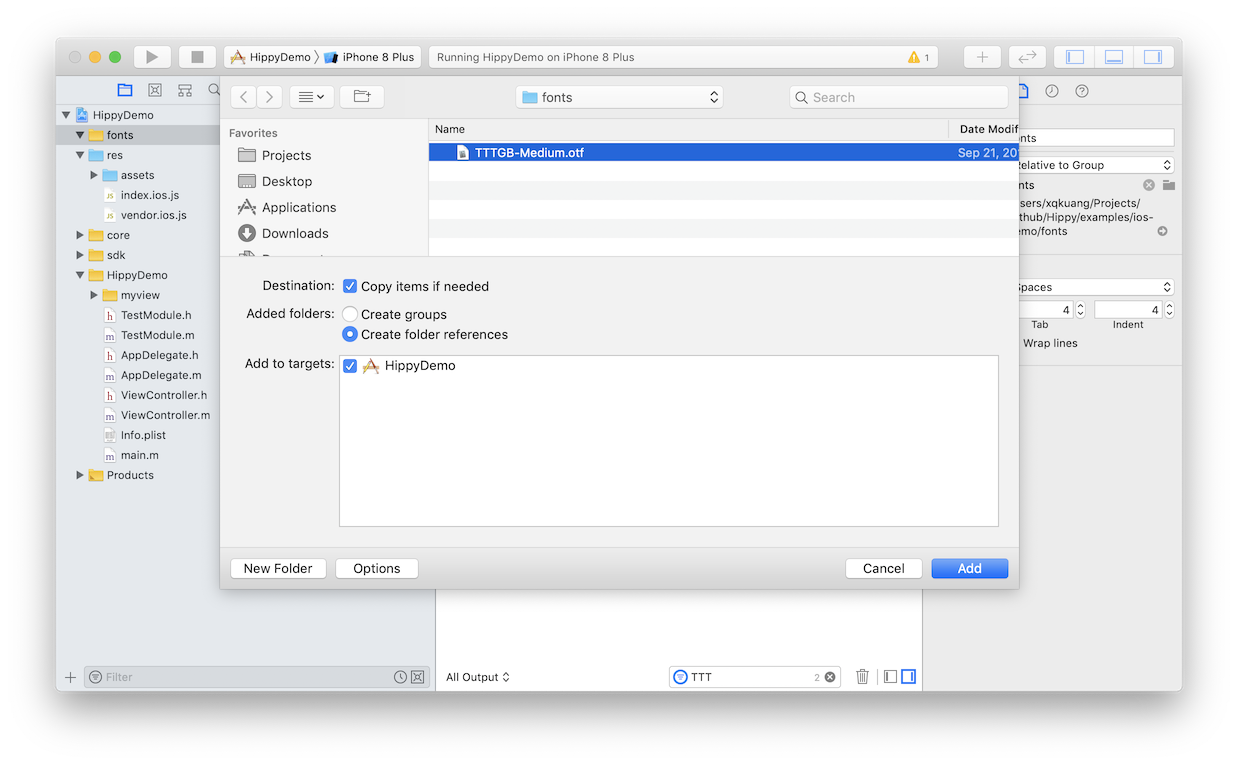
打开 iOS 工程,新建一个 `fonts` 目录,并将字体文件拖动到该目录中。按照截图,建立字体引用即可,确保 Target 正确。
|
|
|
|
|
|
|
|
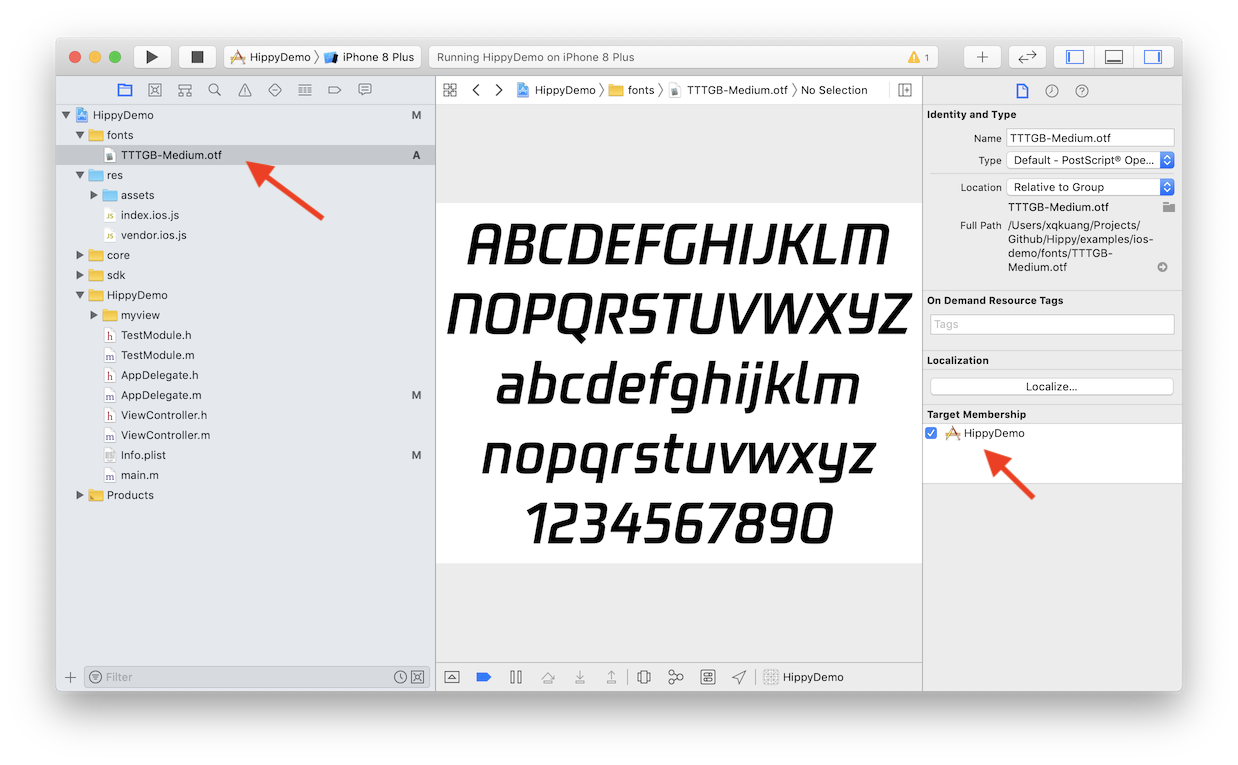
然后点击项目中的字体文件,并再次确认 Target 正确。
|
|
|
|
|
|
|
|
## 检查项目配置
|
|
|
|
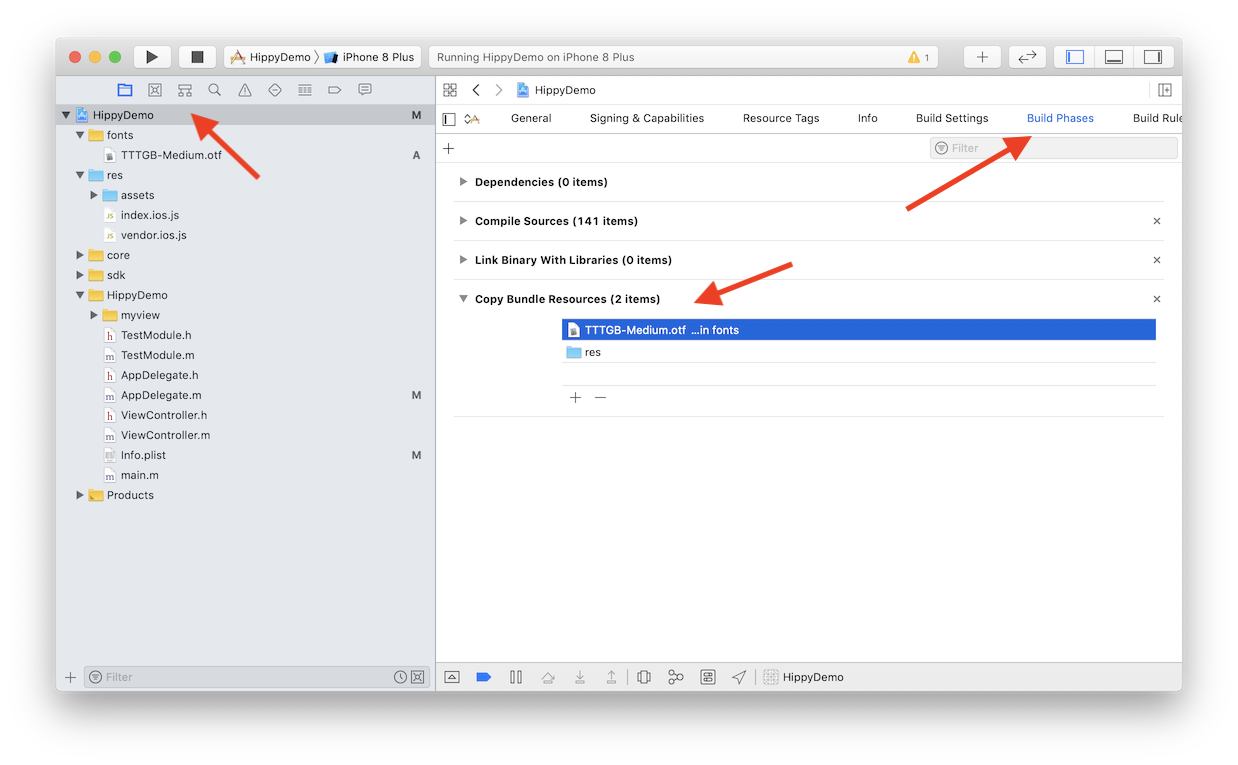
确认项目的设置的 `Build Phases` 里字体文件正确整合。
|
|
|
|
|
|
|
|
## 将字体添加到 Info.plist
|
|
|
|
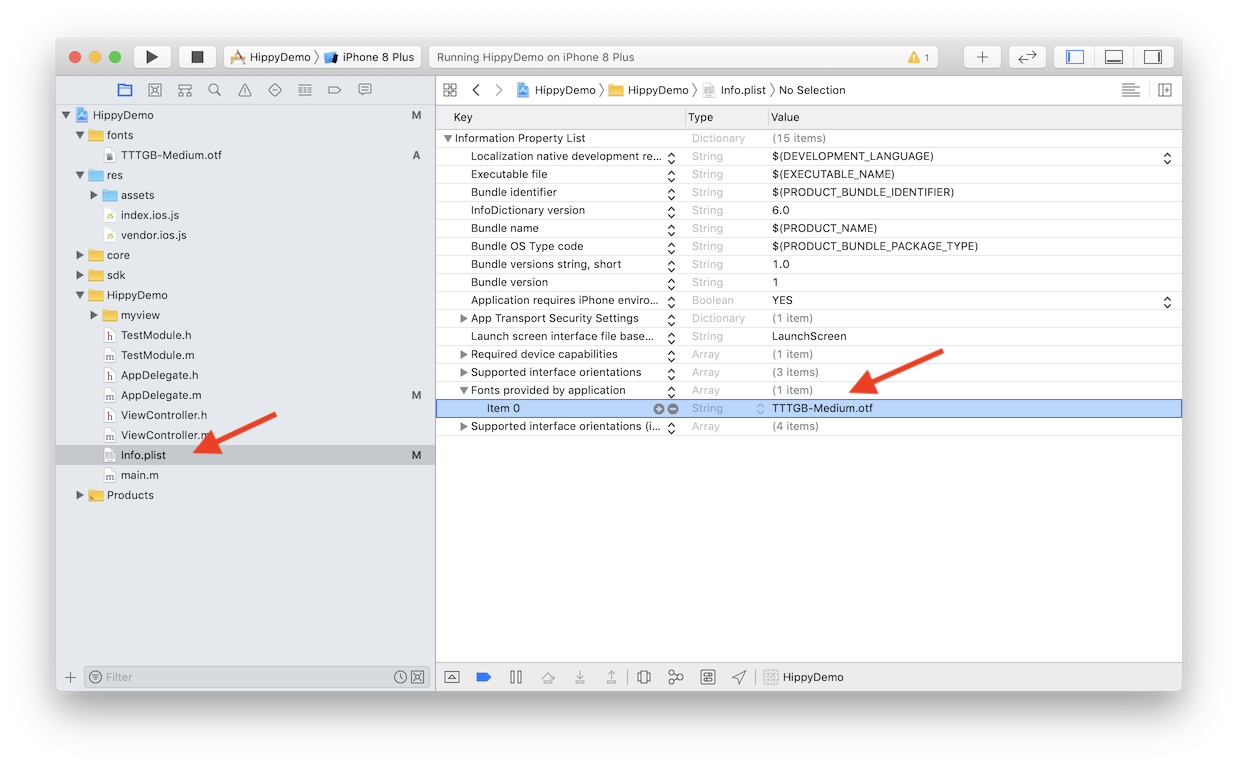
将准确的字体文件名加入 `Info.plist` 的 `Fonts provided by application` 字段,如果没有这行的话,需要手工 `Add row` 添加一行。
|
|
|
|
|
|
|
|
## 验证字体正确性
|
|
|
|
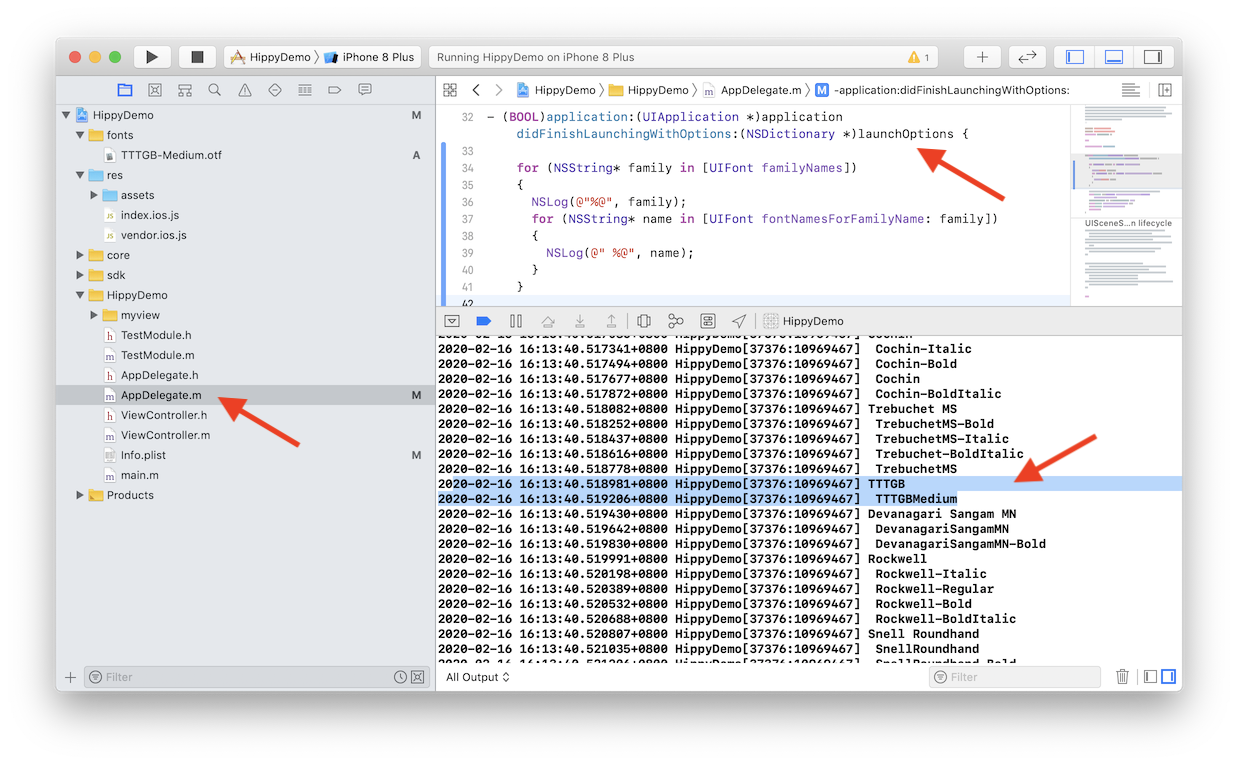
如果一切都正确,前端应该已经能正常显示自定义字体了,不过有的时候还是显示不了,其中最常见的,就是 Font Family 参数值不对,因为**字体文件名 !== Font Family**。
|
|
|
|
有个简单办法可以进行校验,将 Font Family 全部列出来检查。
|
|
|
|
在 `AppDelegate.m` 的 `application didFinishLaunchingWithOptions` 方法中加上以下代码,在 `Debug` 菜单中打开 `Debug Area` 下 `Active Console`(按下 Command + Shift +C 可以快速打开)即可打印所有 Font Family。
|
|
|
|
```objectivec
|
|
for (NSString* family in [UIFont familyNames])
|
|
{
|
|
NSLog(@"%@", family);
|
|
for (NSString* name in [UIFont fontNamesForFamilyName: family])
|
|
{
|
|
NSLog(@" %@", name);
|
|
}
|
|
}
|
|
```
|
|
|
|
|
|
|
|
# Android
|
|
|
|
## 整合字体文件
|
|
|
|
Android 只需要在静态资源 `assets` 目录中建立 `fonts` 目录,然后把字体文件拷贝进去即可。
|
|
|
|
需要注意的是,字体文件名需要和 FontFamily 一致,因为 Android 虽然也可以做字体文件名映射,但是字体和文件名一致无疑是最简单的办法。
|
|
|
|
> 官方 demo 的字体放在 [res/fonts](https://github.com/Tencent/Hippy/tree/master/framework/js/examples/android-demo/res) 目录下,是因为编译脚本[将 `res` 目录下的文件直接拷贝到 `assets` 目录](https://github.com/Tencent/Hippy/blob/master/framework/js/examples/android-demo/build.gradle#L35)下了,所以 `res/assets` 就变成 `assets/assets` 目录,为了让字体目录正确拷贝进 `assets` 静态资源目录,只能让它放在 `res` 下。
|