mirror of
https://github.com/wang-bin/QtAV.git
synced 2026-10-28 19:16:48 +08:00

155 lines
5.1 KiB
Markdown
155 lines
5.1 KiB
Markdown
# [QtAV](https://sourceforge.net/projects/qtav)
|
|
|
|
QtAV is a media playing library based on Qt and FFmpeg. It can help you to write a player
|
|
with less effort than ever before. Currently only a simple player is supplied. I will write a
|
|
stylish one based on QtAV in the feature.
|
|
|
|
QtAV is free software licensed under the term of LGPL v2.1. If you use QtAV or its constituent libraries,
|
|
you must adhere to the terms of the license in question.
|
|
|
|
#### [Download binaries from sourceforge](https://sourceforge.net/projects/qtav)
|
|
#### [Source code on github](https://github.com/wang-bin/QtAV)
|
|
|
|
### Features
|
|
|
|
QtAV can meet your most demands
|
|
|
|
- Seek, pause/resume
|
|
- Video capture
|
|
- Aspect ratio
|
|
- Transform video using GraphicsItemRenderer. (rotate, shear, etc)
|
|
- Playing frame by frame (currently support forward playing)
|
|
- Variant streams: locale file, http, rtsp, etc.
|
|
- Playing music (not perfect)
|
|
- Volume control
|
|
- Fullscreen, stay on top
|
|
- Compatible: QtAV can be built with both Qt4 and Qt5. QtAV will support
|
|
both FFmpeg and [Libav](http://libav.org).
|
|
- Multiple render engine support. Currently supports QPainter, GDI+, Direct2D.
|
|
|
|
### Extensible Framework (not finished)
|
|
|
|
QtAV currently uses FFmpeg to decode video, convert image and audio data, and uses PortAudio to play
|
|
sound. Every part in QtAV is designed to be extensible. For example, you can write your audio output
|
|
class using OpenAL, image converting class using cuda to get better performance etc. These features
|
|
will be added in the feature by default.
|
|
|
|
|
|
# For Developers
|
|
|
|
#### Requirements
|
|
|
|
1. [FFmpeg](http://ffmpeg.org) Latest version is recommanded.
|
|
[](http://ffmpeg.org)
|
|
2. [Qt 4 or 5](http://qt-project.org/downloads)
|
|
[](http://qt-project.org)
|
|
3. [PortAudio v19](http://www.portaudio.com/download.html)
|
|
[](http://www.portaudio.com)[](http://www.portaudio.com)
|
|
|
|
The required development files for MinGW can be found in sourceforge
|
|
page: [depends](https://sourceforge.net/projects/qtav/files/depends)
|
|
|
|
#### Build
|
|
|
|
For most platforms, just
|
|
|
|
qmake
|
|
make
|
|
|
|
>>If the above command failed to build it, try
|
|
|
|
>> `cd your_build_dir`
|
|
|
|
>> `qmake QtAV_dir/QtAV.pro -r BUILD_DIR=your_build_dir`
|
|
|
|
>> `make`
|
|
|
|
>> The binaries will be created in $BUILD_DIR/bin.
|
|
>> If you are using QtCreator to build the project, you should go to Projects->Build Steps->qmake->Additional arguments, add "BUILD_DIR=your/buid/dir"
|
|
|
|
To build with direct2d support, you should add additional arguments to qmake `CONFIG+=direct2d`, or add it in src/libQtAV.pro.
|
|
|
|
##### Build with MSVC
|
|
|
|
See the wiki [Compile with MSVC](https://github.com/wang-bin/QtAV/wiki/Compile-with-MSVC)
|
|
|
|
|
|
|
|
#### How To Write a Player
|
|
|
|
Wrtie a media player using QtAV is quite easy.
|
|
|
|
WidgetRenderer renderer;
|
|
renderer.show();
|
|
AVPlayer player;
|
|
player.setRenderer(&renderer);
|
|
player.play("test.avi");
|
|
|
|
For more detail to using QtAV, see the wiki [Use QtAV In Your Project](https://github.com/wang-bin/QtAV/wiki/Use-QtAV-In-Your-Project)
|
|
|
|
|
|
Default Shortcuts
|
|
-----------------
|
|
- Space: pause/continue
|
|
- F: fullscreen on/off
|
|
- T: stays on top on/off
|
|
- N: show next frame. Continue the playing by pressing "Space"
|
|
- O: open a file
|
|
- P: replay
|
|
- S: stop
|
|
- R: switch aspect ratio
|
|
- M: mute on/off
|
|
- Up / Down: volume + / -
|
|
- -> / <-: seek forward / backward
|
|
- Drag and drop a media file to player
|
|
|
|
|
|
The default behavior can be replaced by subclassing QObject and call `void AVPlayer::setPlayerEventFilter(QObject *obj)` (use null to disable).
|
|
|
|
|
|
# TODO
|
|
|
|
0. Component framework
|
|
1. Subtitle
|
|
2. Filters
|
|
3. Hardware acceleration using DirectX, NVIDIA Cuda, ATI UVD, Intel IPP, OpenCL and OpenGL:
|
|
* decoding: DXVA, XvBA, cuvid
|
|
* image, audio and filters
|
|
* rendering: DirectX, XV, OpenGL
|
|
4. Stylish GUI based on Qt Graphics View Framework
|
|
5. Document and SDK
|
|
6. Other: play speed, better sync method and seeking, tests, playing statistics, etc.
|
|
7. Region of interest support.
|
|
8. More platform support. Maemo, Android, iOS, BB10 etc. Depends on Qt and FFmpeg for those platforms.
|
|
9. Try to write decoders myself.
|
|
|
|
Screenshots
|
|
----------
|
|
|
|
QtAV on Win8
|
|
|
|

|
|
|
|
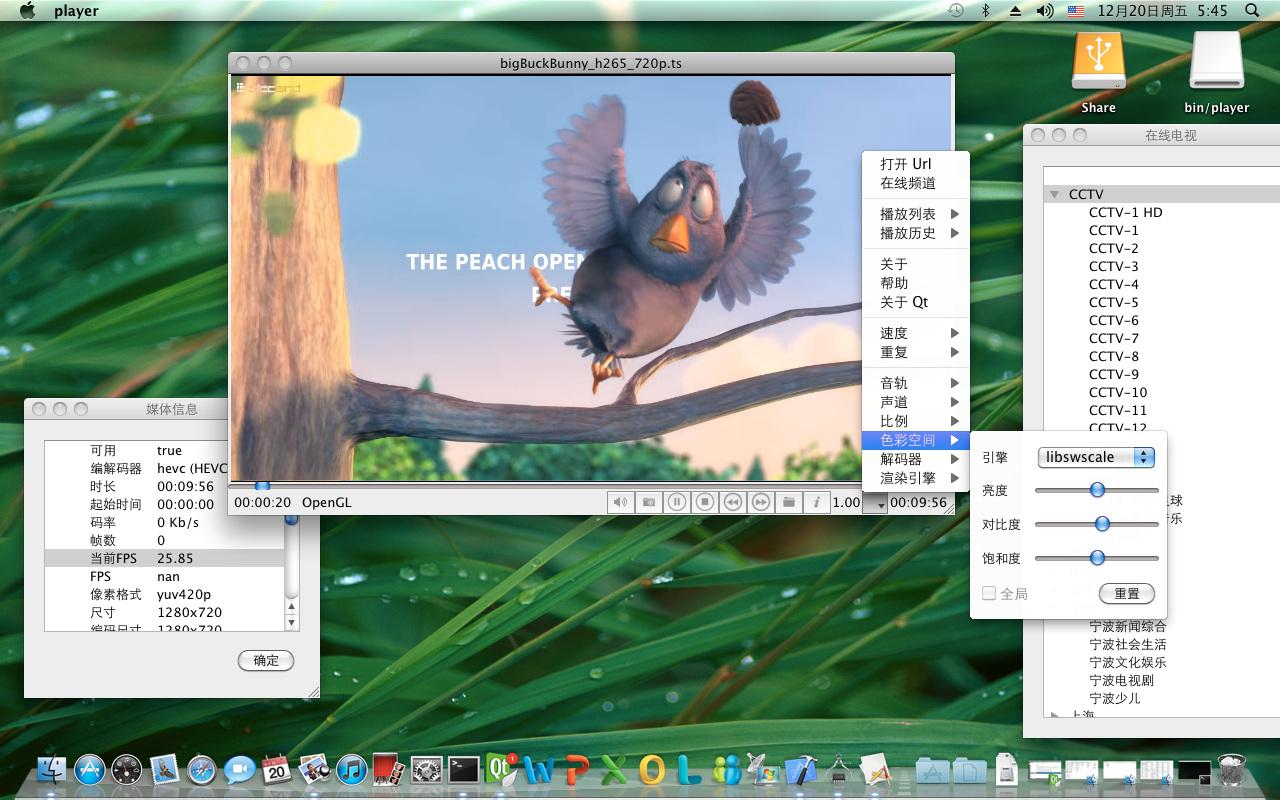
QtAV on Mac OS X
|
|
|
|
|
|
|
|
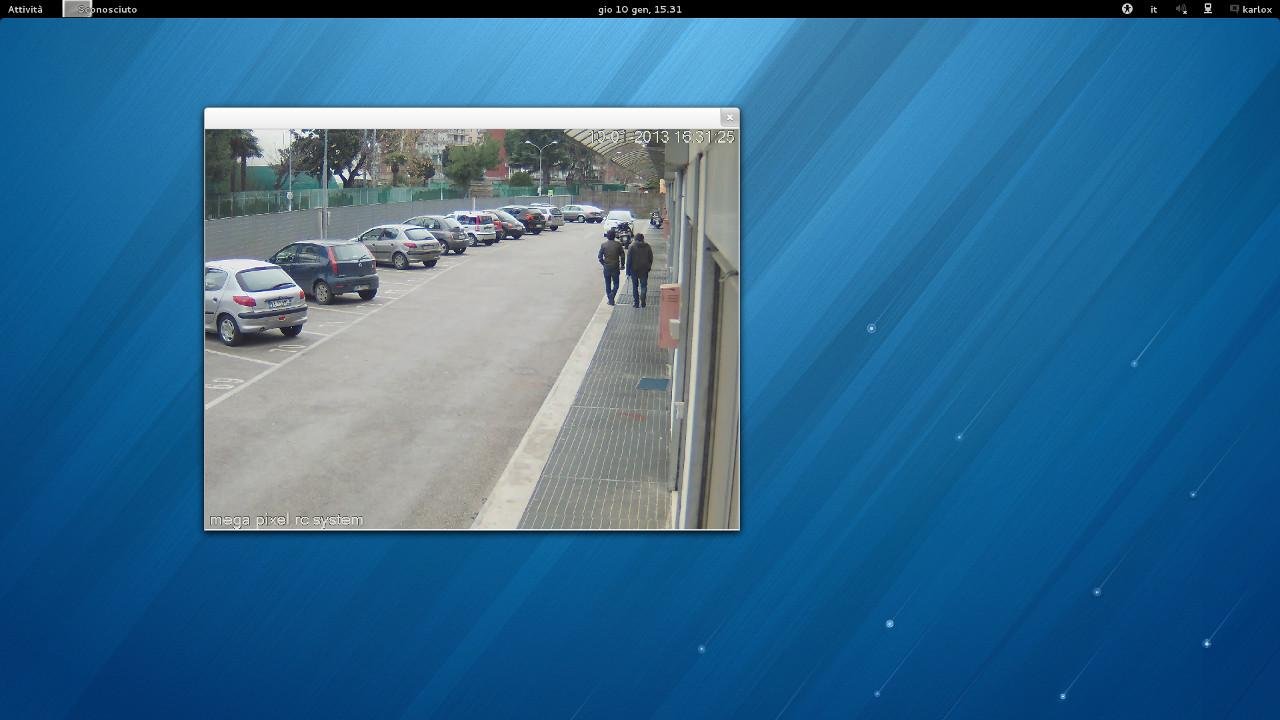
IP camera using QtAV. OS: Fedora 18 (some developers from Italy http://www.selcomsrl.eu/)
|
|
|
|
|
|
|
|
Rotate a video item
|
|
|
|

|
|
|
|
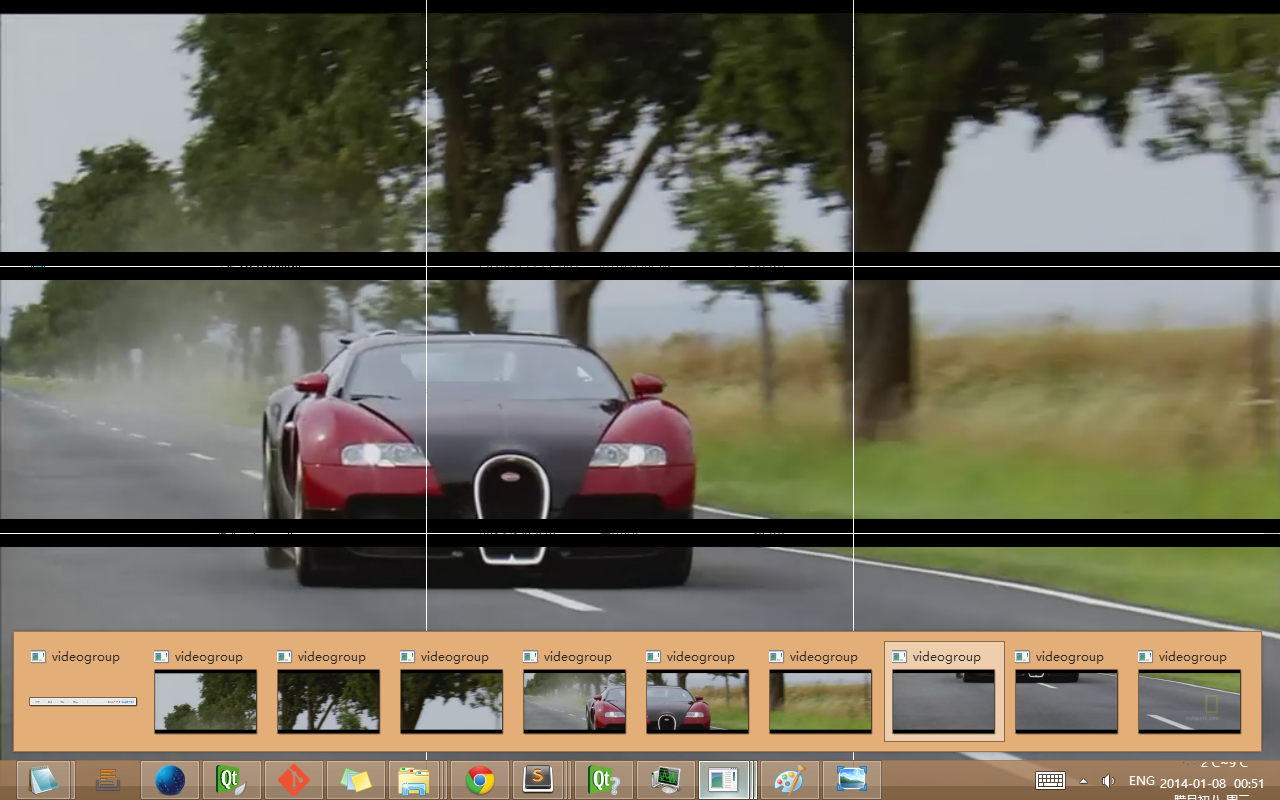
Video Wall
|
|
|
|
|
|
|
|
|
|
> Copyright © Wang Bin wbsecg1@gmail.com
|
|
|
|
> Shanghai University, Shanghai, China
|
|
|
|
> 2013-01-21
|