 wang-bin
c63132a808
wang-bin
c63132a808
Changelog
- scale image without qt support!
- buggy ipp support.
- thread safe capture
- Fix first frame not correctly decoded!
- new API
- tests and examples: clockcontrol, videowall
QtAV
QtAV is a media playing library based on Qt and FFmpeg. It can help you to write a player with less effort than ever before. Currently only a simple player is supplied. I will write a stylish one based on QtAV in the feature.
QtAV is free software licensed under the or GPL v3. If you use QtAV or its constituent libraries, you must adhere to the terms of the license in question.
Download binaries from sourceforge
Features
QtAV can meet your most demands
- Seek, pause/resume
- Video capture
- Playing frame by frame (currently support forward playing)
- Variant streams: locale file, http, rtsp, etc.
- Playing music (not perfect)
- Volume control
- Fullscreen, stay on top
- Compatible: QtAV can be built with both Qt4 and Qt5. QtAV will support both FFMpeg and Libav.
Extensible Framework (not finished)
QtAV currently uses FFMpeg to decode video, convert image and audio data, and uses PortAudio to play sound. Every part in QtAV is designed to be extensible. For example, you can write your audio output class using OpenAL, image converting class using cuda to get better performance etc. These features will be added in the feature by default.
For Developers
Requirements
- FFMpeg Latest version is recommanded
- Qt 4 or 5
- PortAudio v19
The required development files for MinGW can be found in sourceforge page: mingw_libs-extra.7z
Build
qmake
make
If you want to build QtAV outside the source tree
cd your_build_dir
qmake QtAV_dir/QtAV.pro -r "BUILD_DIR=your_build_dir"
make -j4
The binaries will be created in $BUILD_DIR/bin
NOTE: If you are using QtCreator to build the project, you should go to Projects->Build Steps->qmake->Additional arguments, add "BUILD_DIR=your/buid/dir"
How To Write a Player
Wrtie a media player using QtAV is quite easy.
WidgetRenderer renderer;
renderer.show();
AVPlayer player;
player.setRenderer(&renderer);
player.play("test.avi");
Default Shortcuts
- Space: pause/continue
- F: fullscreen on/off
- T: stays on top on/off
- N: show next frame. Continue the playing by pressing "Space"
- O: open a file
- P: replay
- S: stop
- M: mute on/off
- Up / Down: volume + / -
- -> / <-: seek forward / backward
The default behavior can be replaced by subclassing the EventFilter class.
TODO
- Component framework
- Subtitle
- Filters
- Hardware acceleration using NVIDIA Cuda, Intel IPP, OpenCL and OpenGL:
- decoding
- image, audio and filters convertion
- rendering
- Stylish GUI based on Qt Graphics View Framework
- Document
- Other: play speed, better sync method and seeking, tests, playing statistics, more platforms etc.
Screenshots
QtAV on Win8

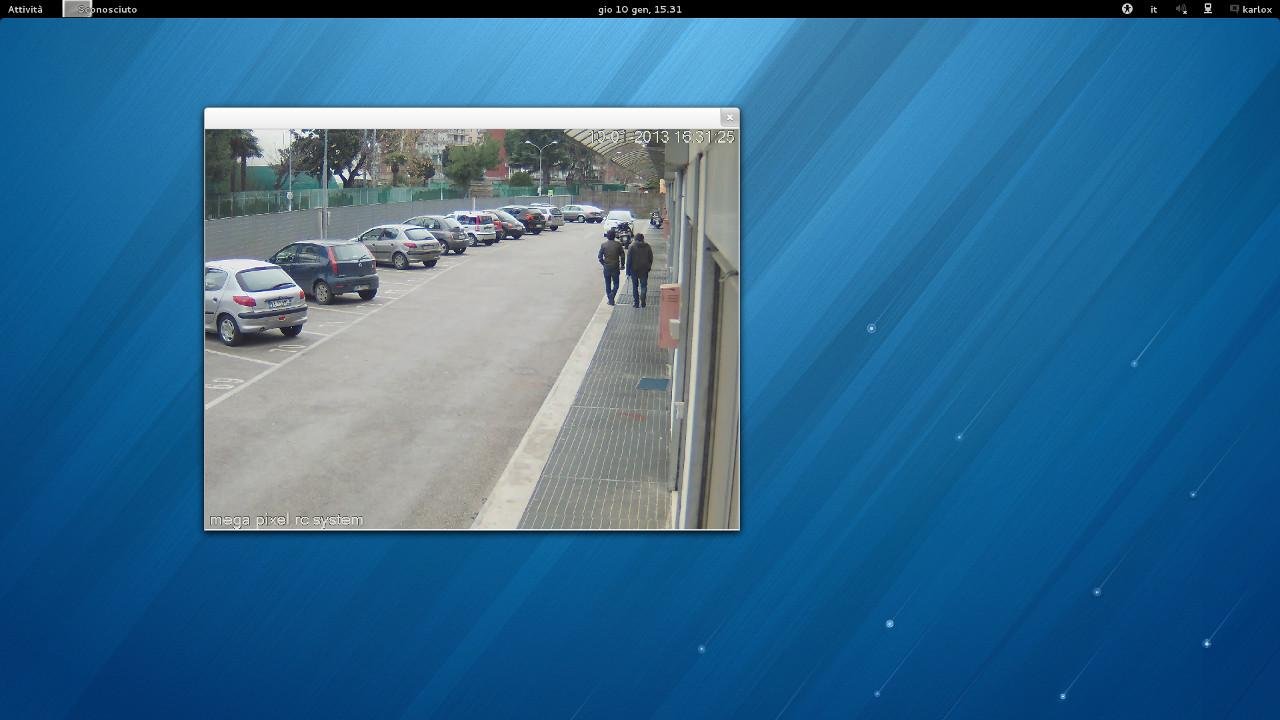
IP camera using QtAV. OS: Fedora 18 (some developers from Italy)
Copyright © Wang Bin wbsecg1@gmail.com
Shanghai University, Shanghai, China
2013-01-21